Student Wellness Navigator & Health Services Online Booking
How to Book a Student Wellness Navigator or Health Services Appointment Online
Online booking is now available for the following services:
- Health Services
- Student Wellness Navigator
Click Here to Book an Appointment
Watch our video or follow the steps below for how to book your appointment online.
Tutorial Video
Steps to Book Online
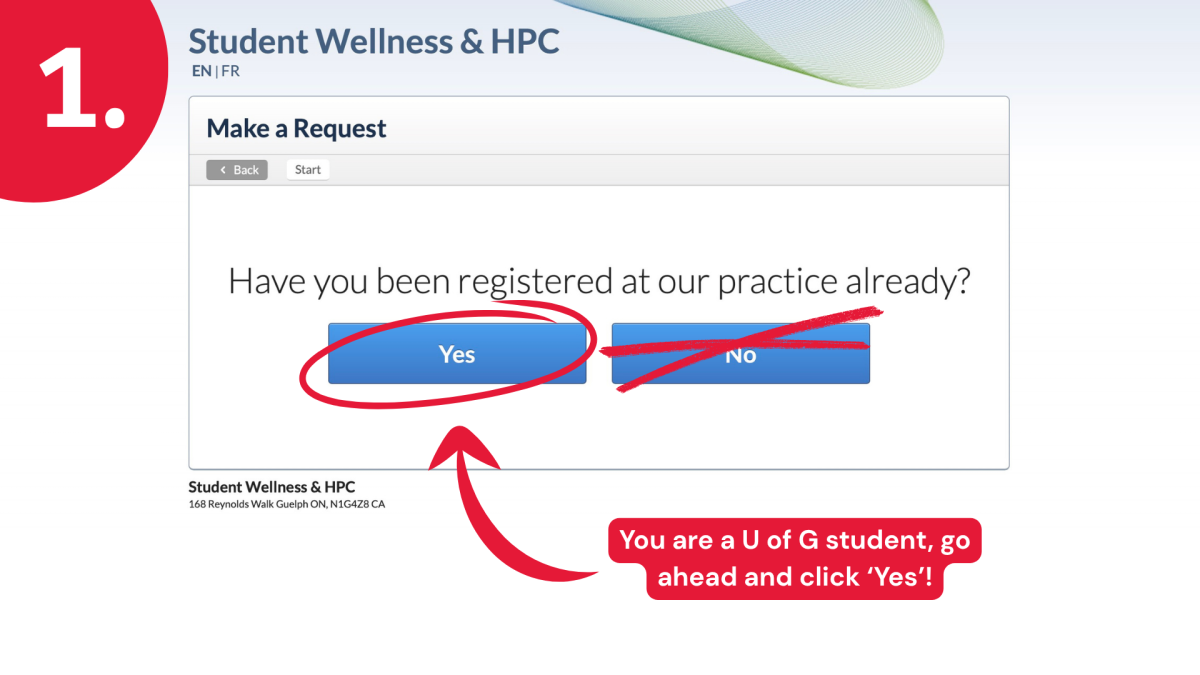
Step 1: You are a U of G student, go ahead and click ‘Yes’!
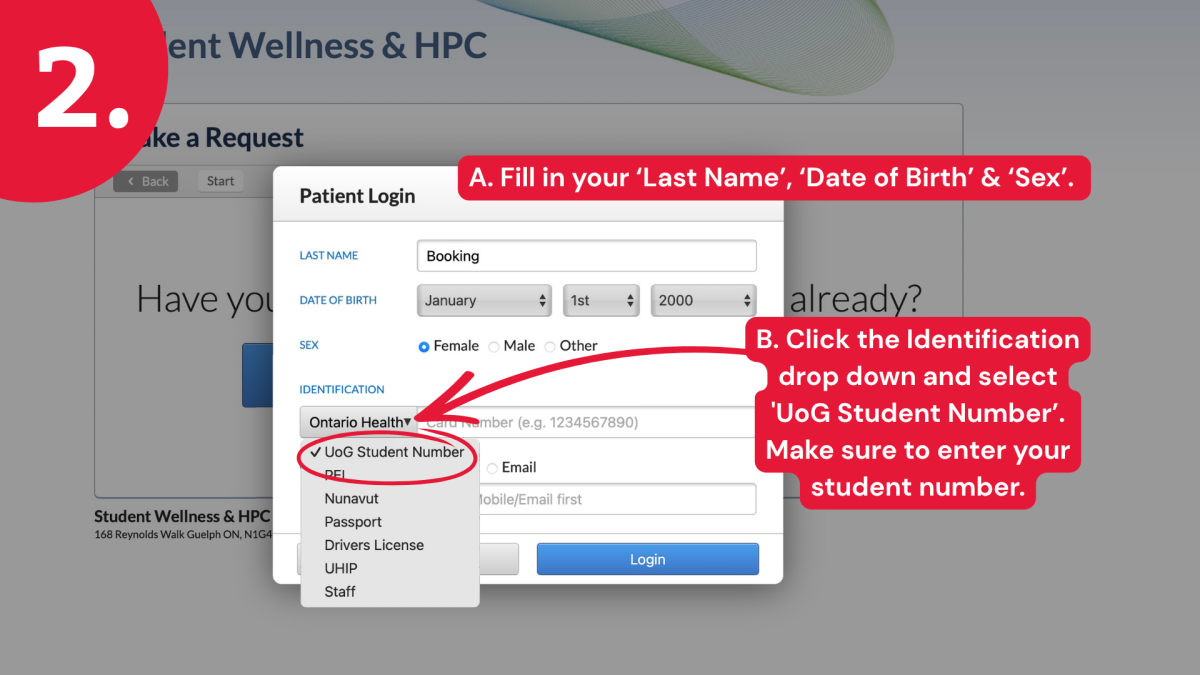
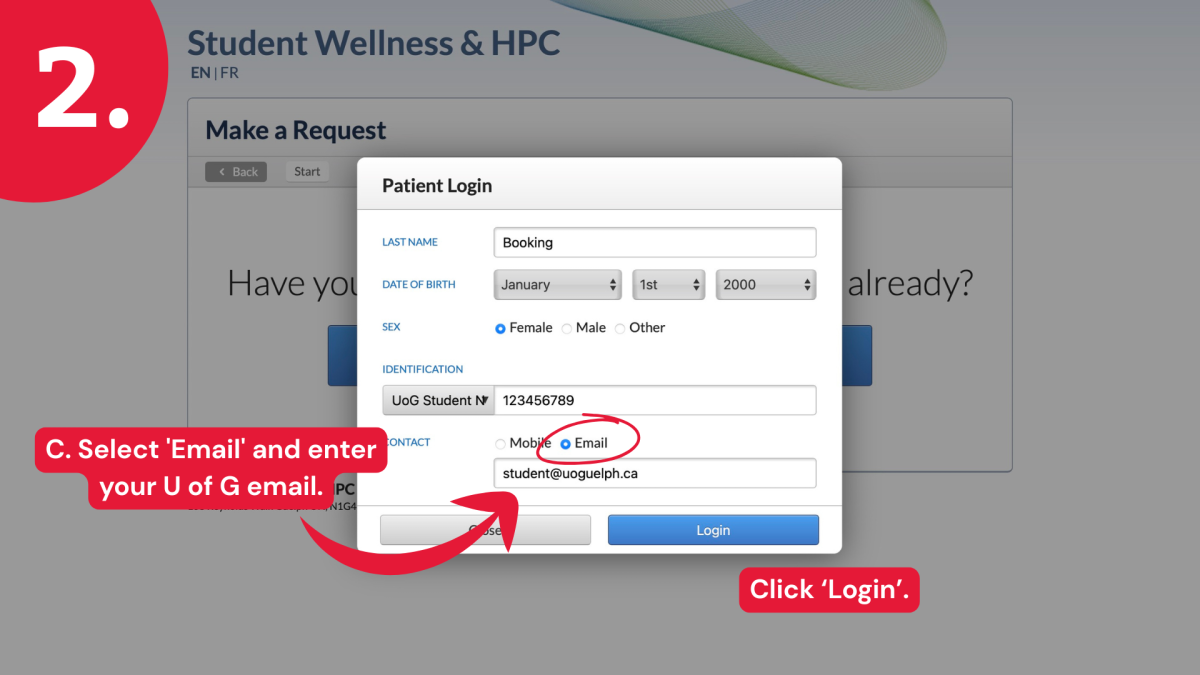
Step 2: Fill in your ‘Last Name’, ‘Date of Birth’ & ‘Sex’. Click the Identification drop down and select 'UoG Student Number’. Make sure to enter your student number. Select 'Email' and enter your U of G email. Click ‘Login’.
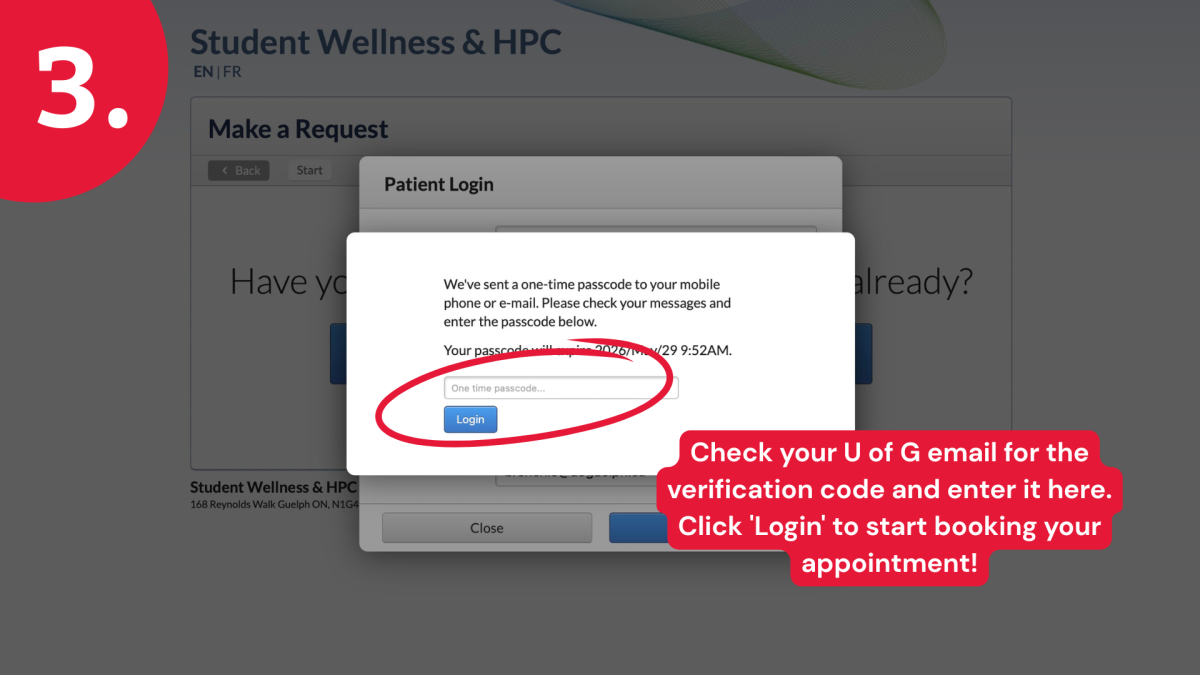
Step 3: Check your U of G email for the verification code and enter it here. Click 'Login' to start booking your appointment!
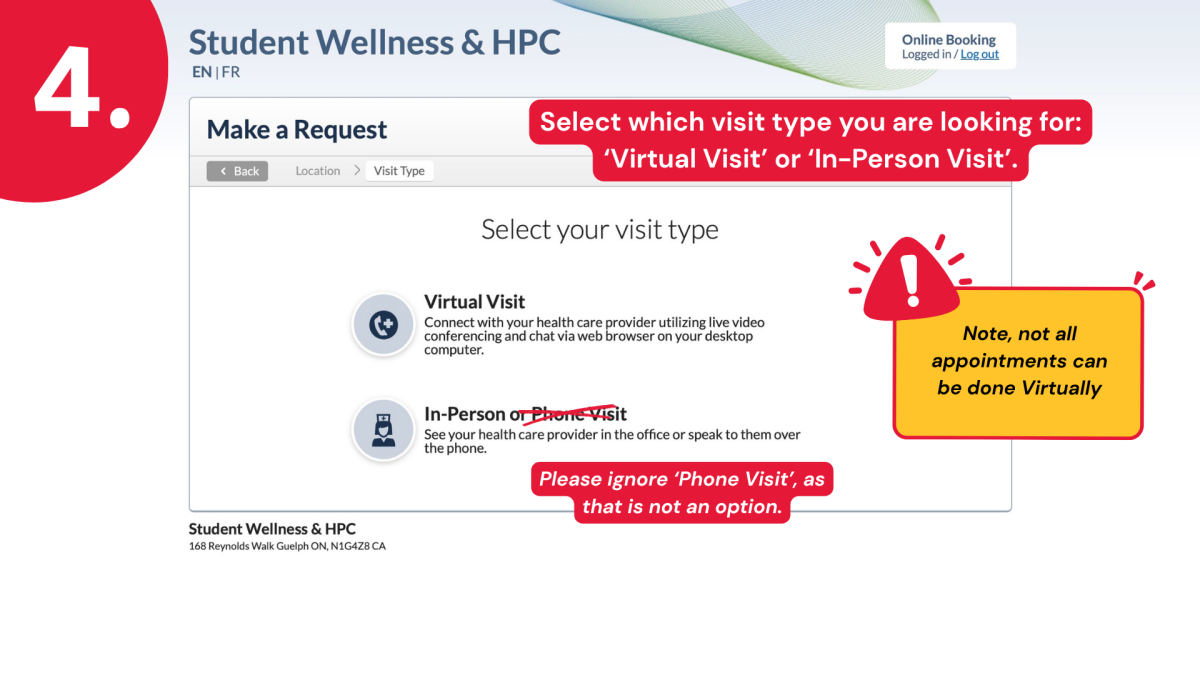
Step 4: Select which visit type you are looking for: ‘Virtual Visit’ or ‘In-Person Visit’. Note, not all appointments can be done virtually. Please ignore ‘Phone Visit’, as that is not an option.
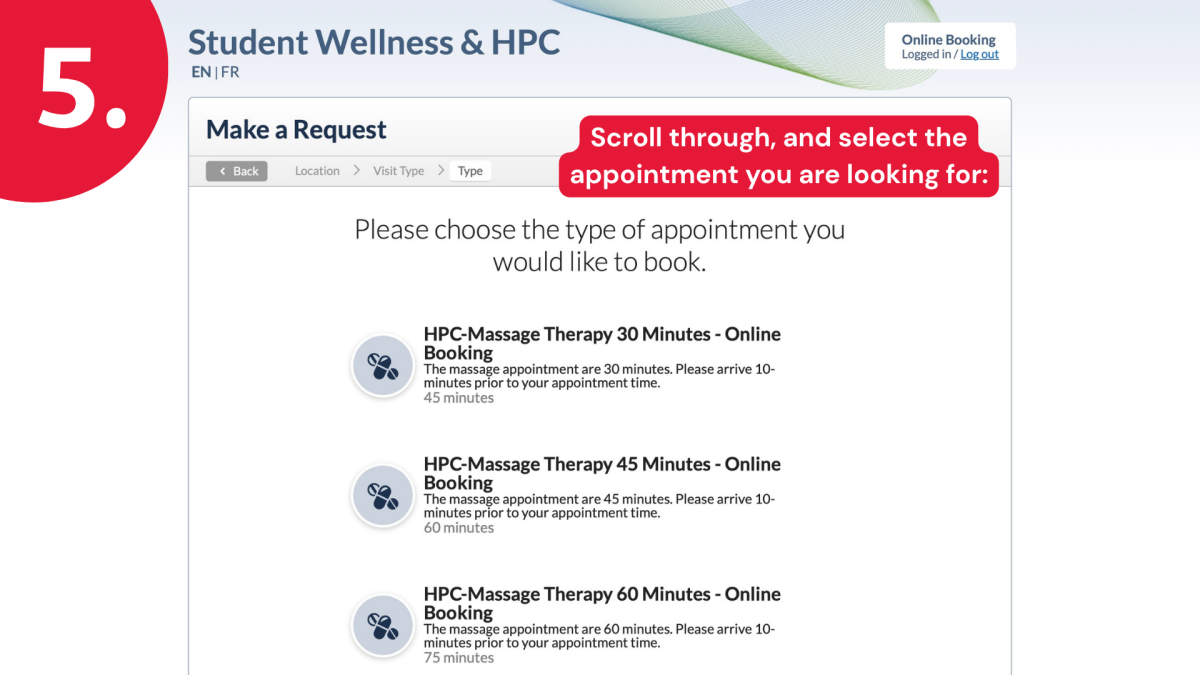
Step 5: Scroll through, and select the appointment you are looking for:
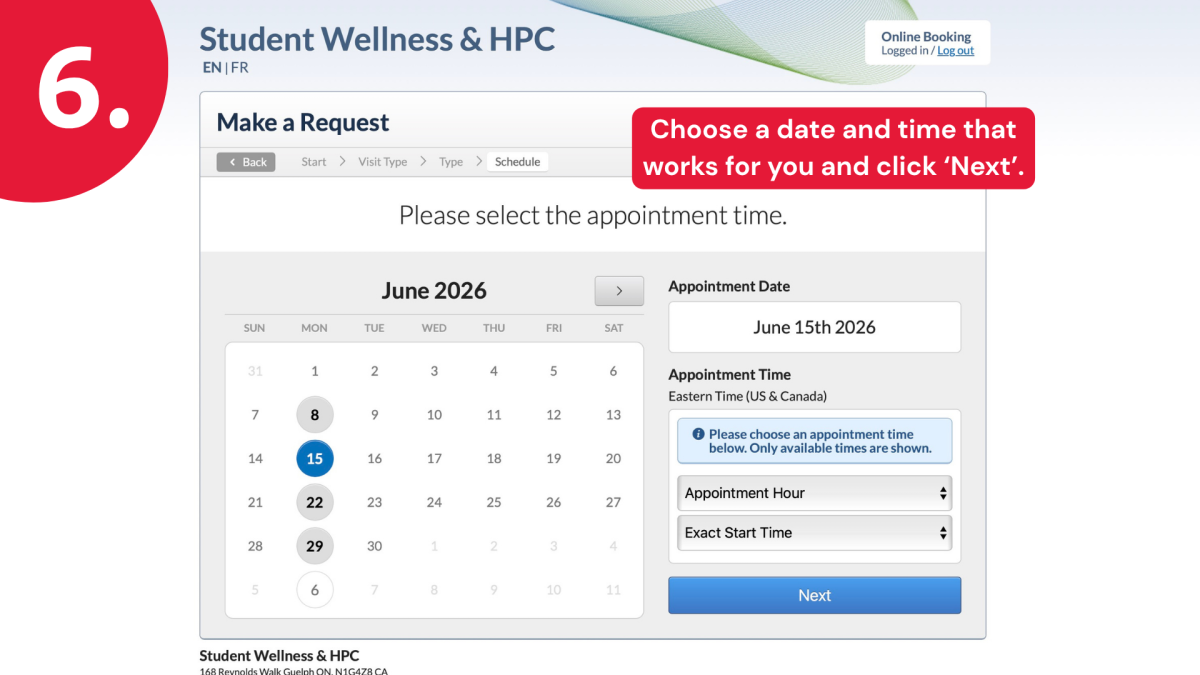
Step 6: Choose a date and time that works for you and click ‘Next’.
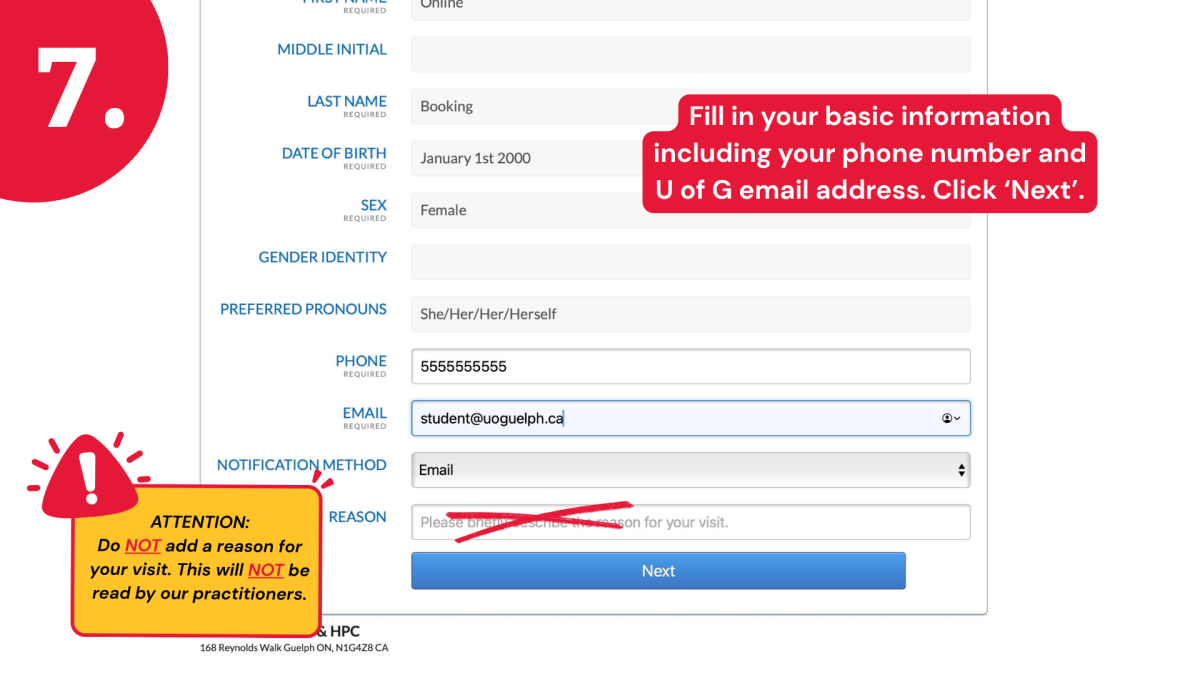
Step 7: Fill in your basic information including your phone number and U of G email address. Click ‘Next’.
ATTENTION: Do NOT add a reason for your visit. This will NOT be read by our practitioners.
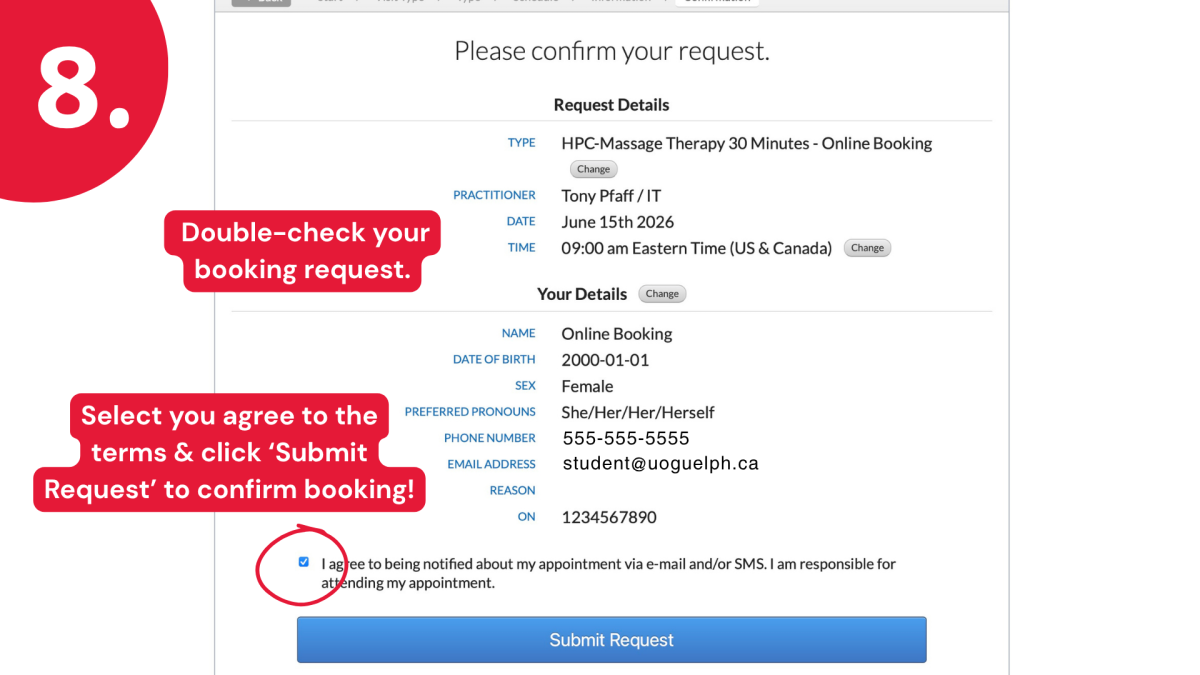
Step 8: Double-check your booking request. Select you agree to the terms & click ‘Submit Request’ to confirm booking!
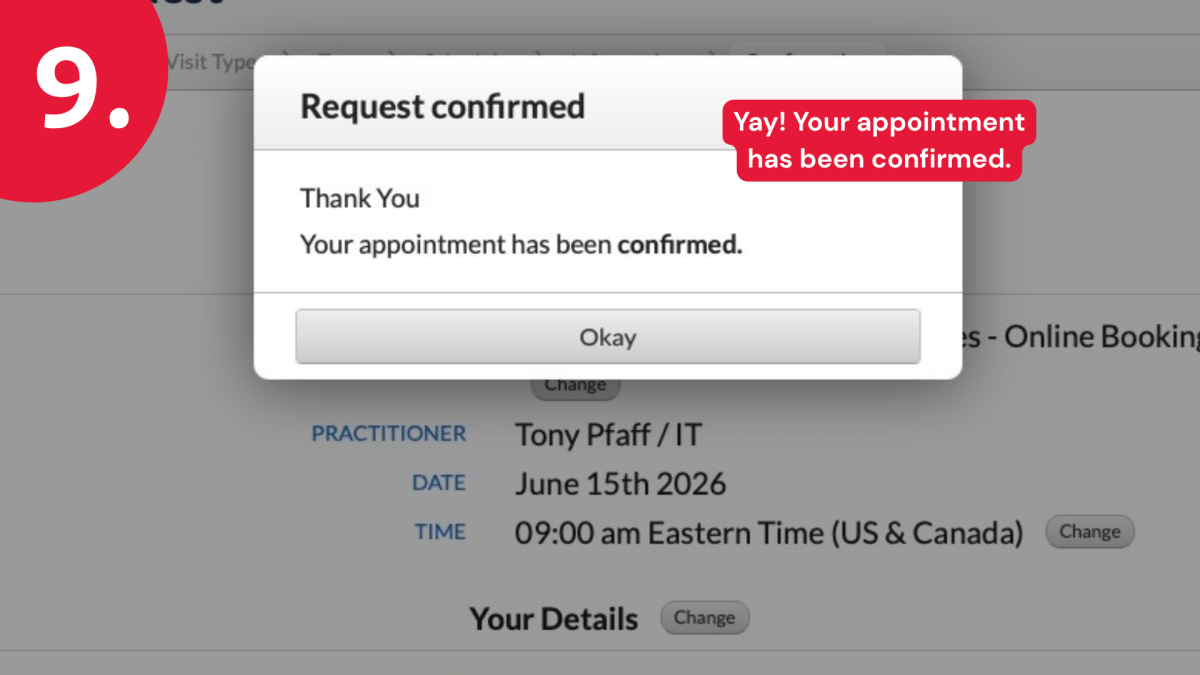
Step 9: Yay! Your appointment has been confirmed.
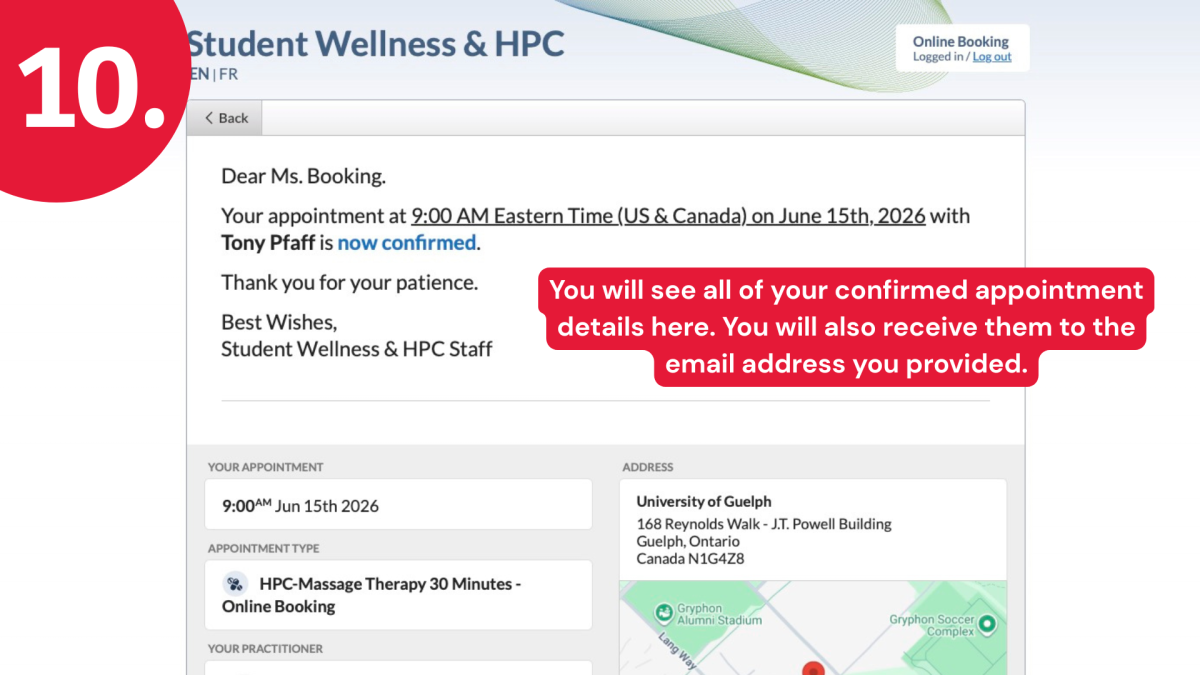
Step 10: You will see all of your confirmed appointment details here. You will also receive them to the email address you provided.
If you have any issues along the way, please call us at 519-824-4120 ext. 52131.