HPC Online Booking
How to Book an HPC Appointment Online
Online booking is now available for the following services:
- Athletic Therapy
- Chiropractic Care
- Dietitian (starting in August)
- Massage Therapy
- Naturopathic Medicine
- Osteopathy
- Physiotherapy
Click Here to Book an Appointment *NEW*
If you have never been to HPC, please call us to book your first appointment: 519-767-5011
Watch our video or follow the steps below for how to book your appointment online.
Tutorial Video
Steps to Book Online
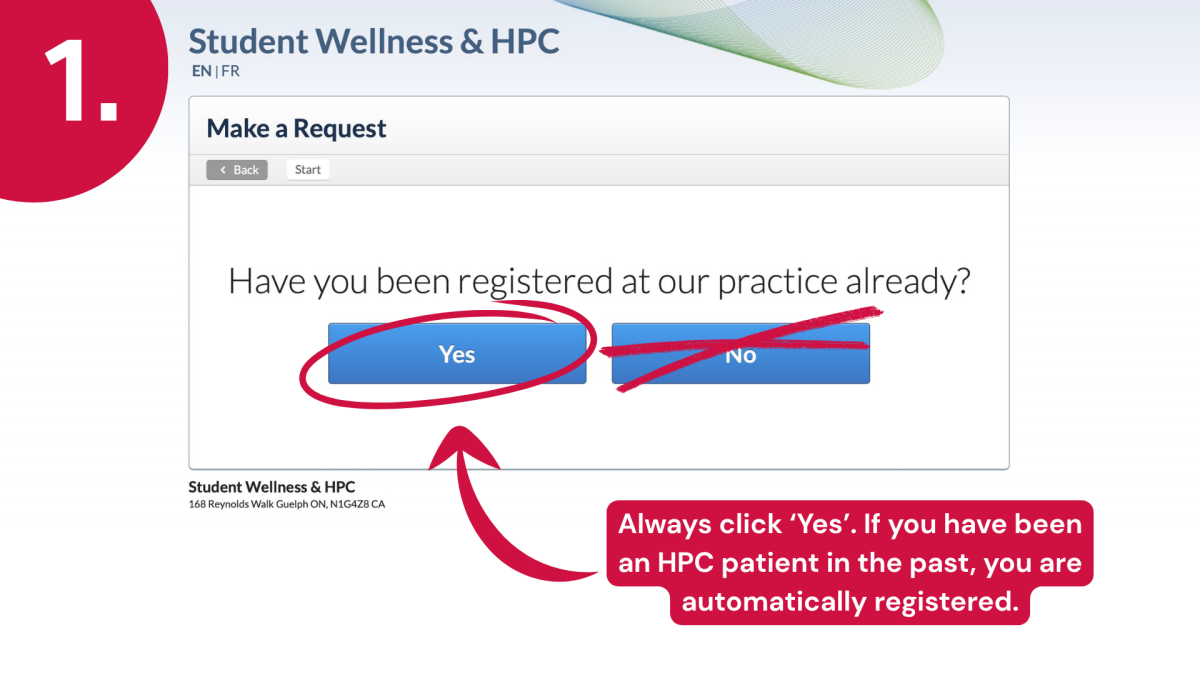
Step 1: Always click ‘Yes’. If you have been an HPC patient in the past, you are automatically registered.
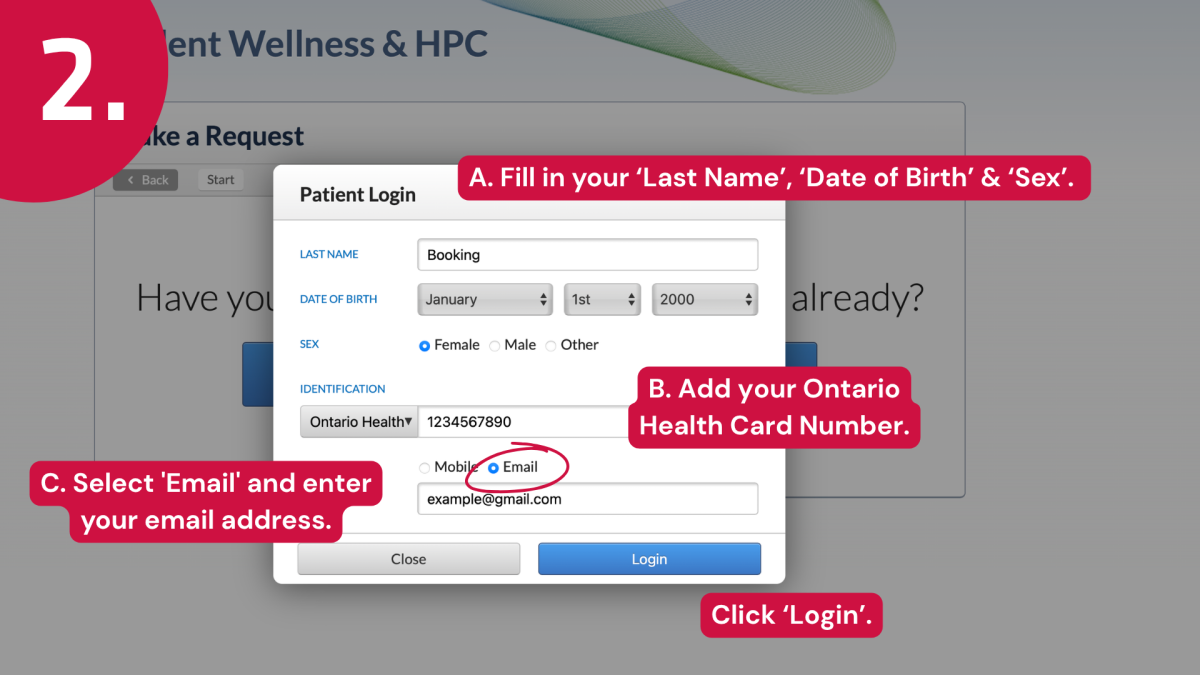
Step 2: Fill in your ‘Last Name’, ‘Date of Birth’ & ‘Sex’. Add your Ontario Health Card Number. Select 'Email' and enter your email address. Click ‘Login’.
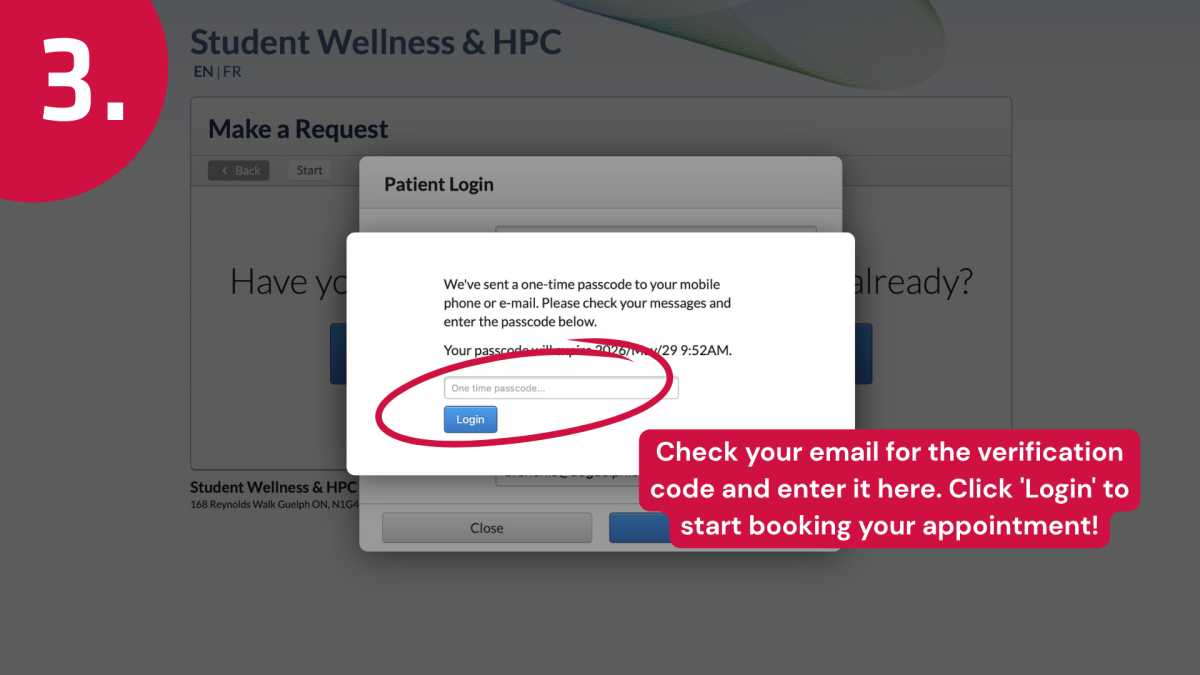
Step 3: Check your email for the verification code and enter it here. Click 'Login' to start booking your appointment!
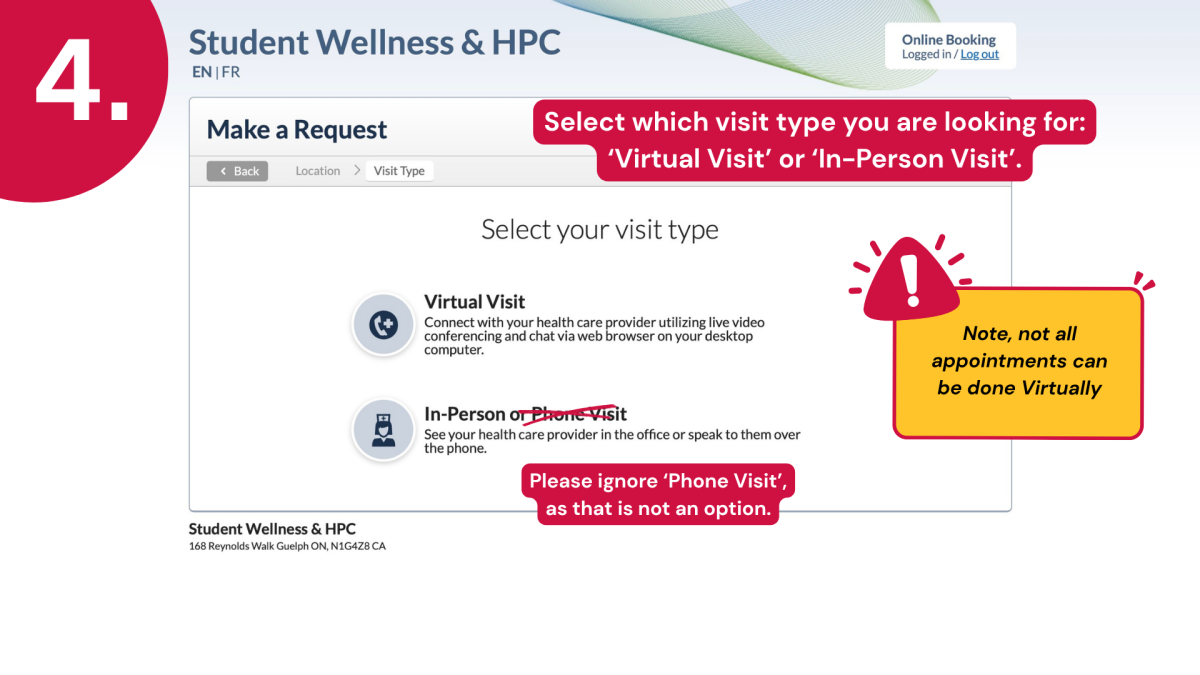
Step 4: Select which visit type you are looking for: ‘Virtual Visit’ or ‘In-Person Visit’. Note, not all appointments can be done virtually. Please ignore ‘Phone Visit’, as that is not an option.
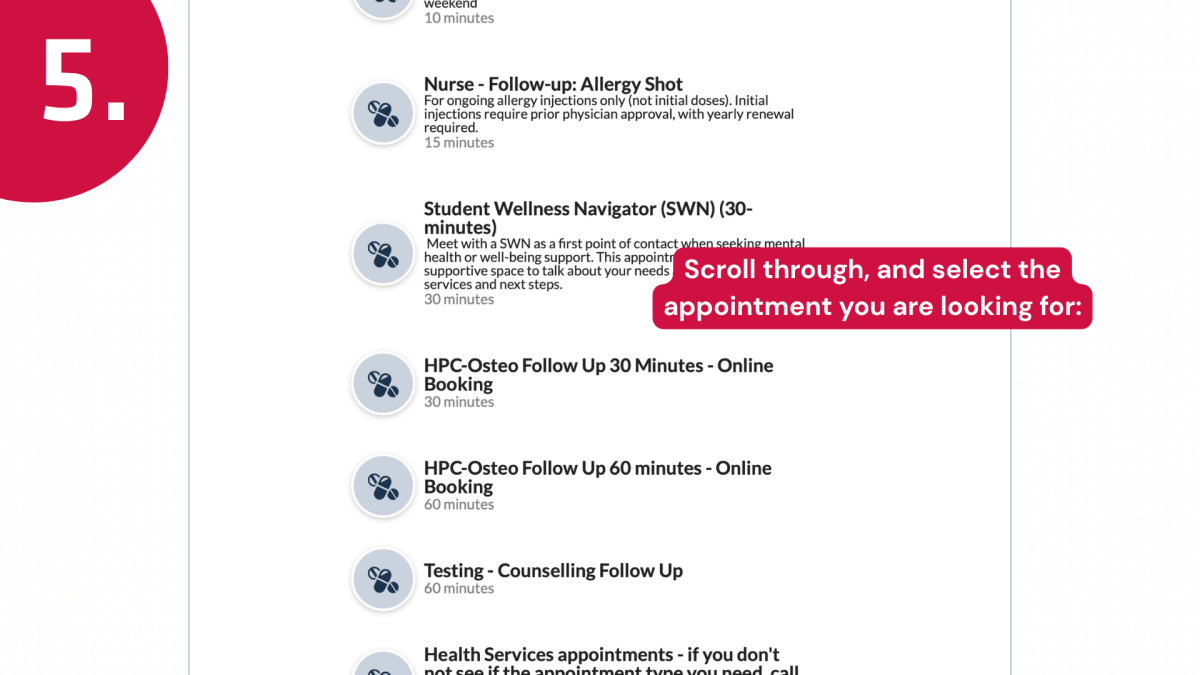
Step 5: Scroll through, and select the appointment you are looking for:
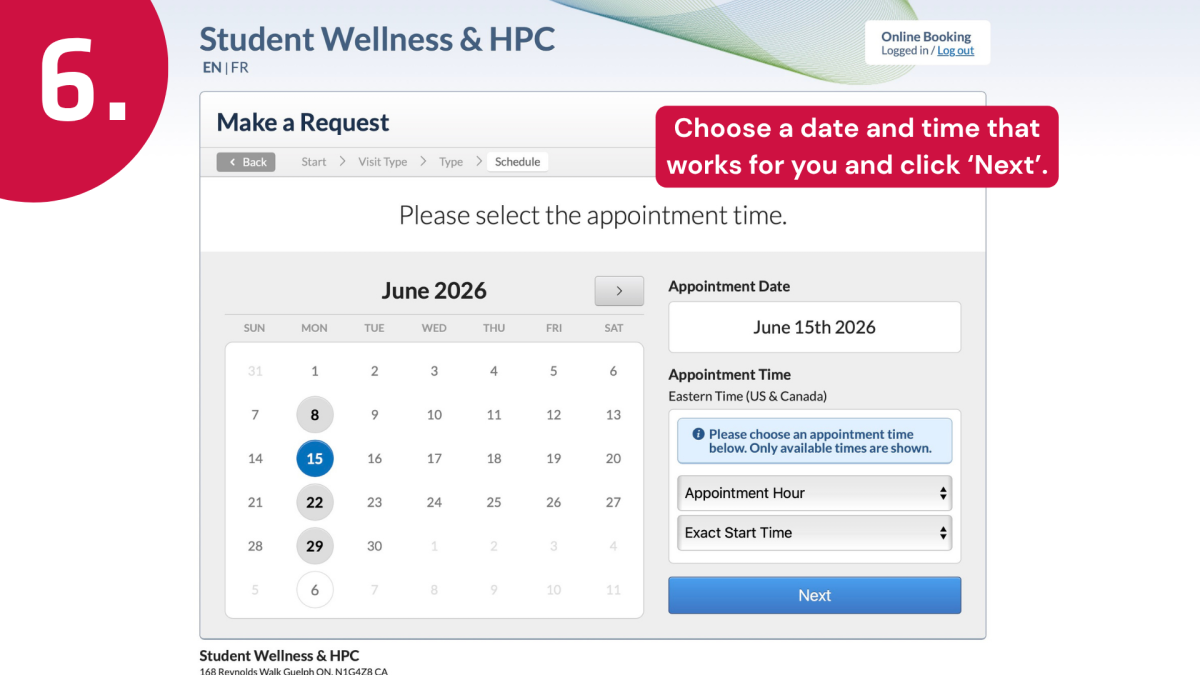
Step 6: Choose a date and time that works for you and click ‘Next’.
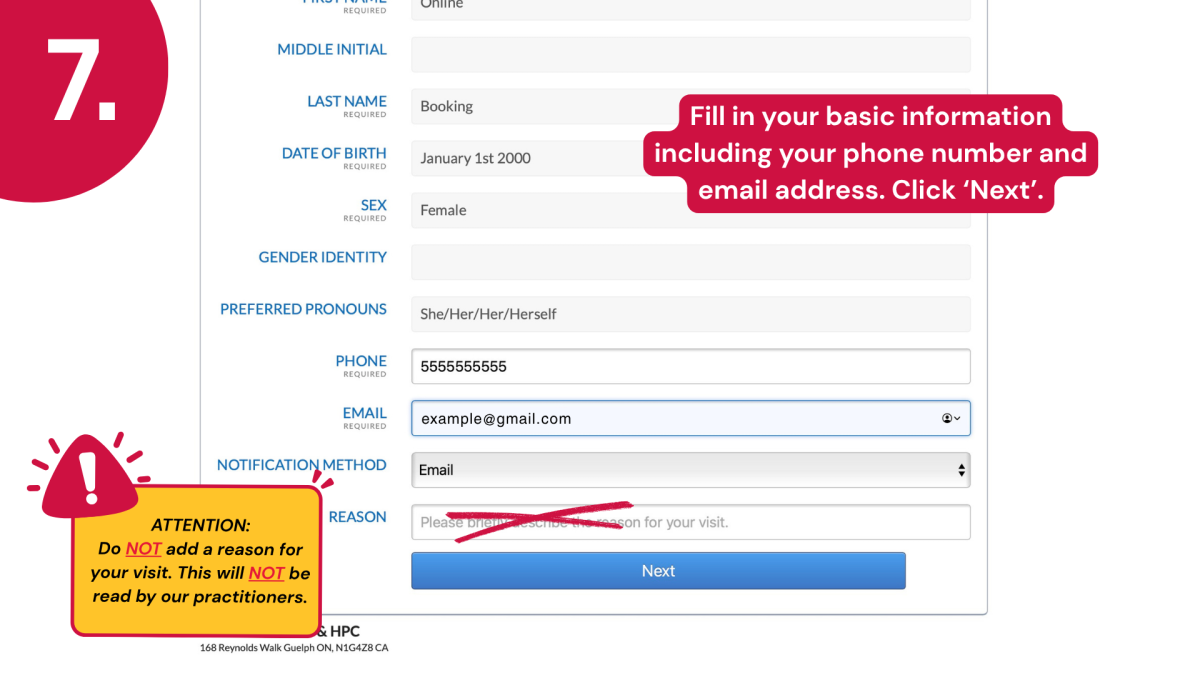
Step 7: Fill in your basic information including your phone number and email address. Click ‘Next’.
ATTENTION: Do NOT add a reason for your visit. This will NOT be read by our practitioners.
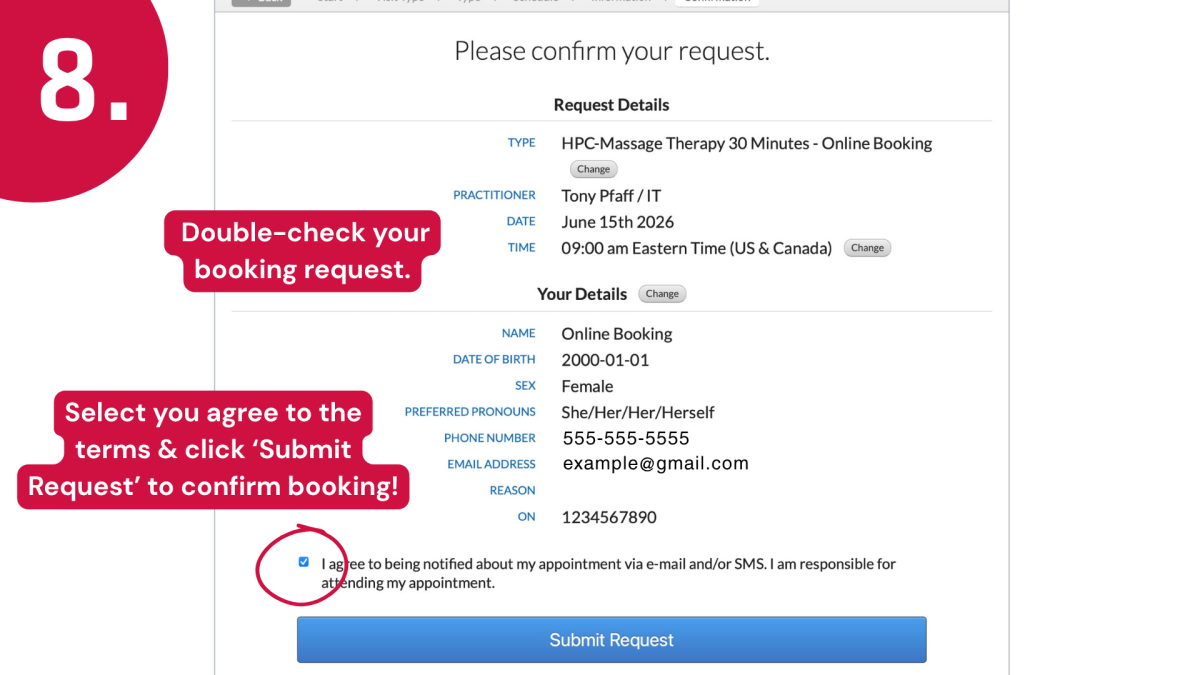
Step 8: Double-check your booking request. Select you agree to the terms & click ‘Submit Request’ to confirm booking!
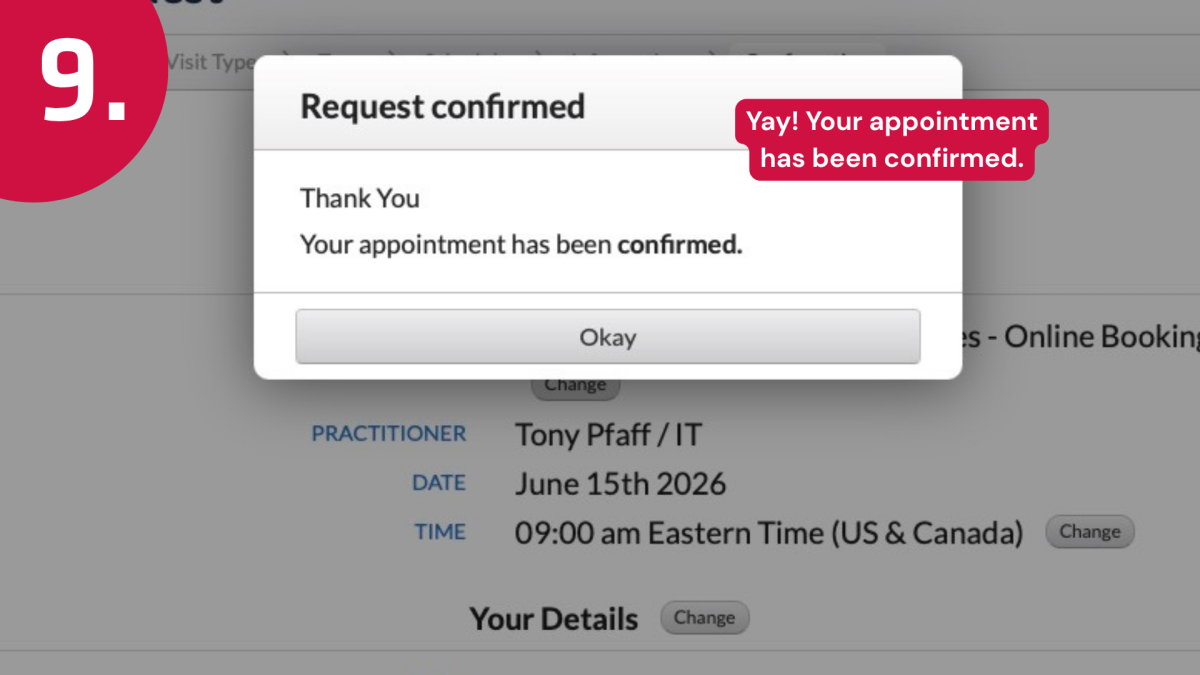
Step 9: Yay! Your appointment has been confirmed.
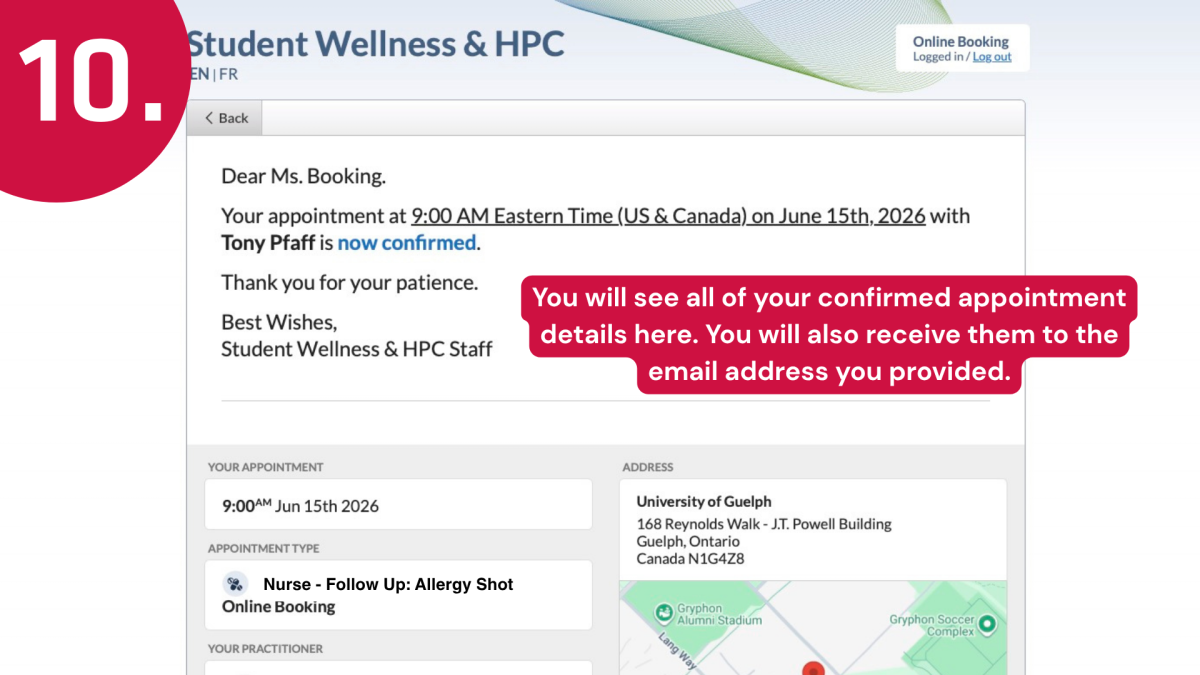
Step 10: You will see all of your confirmed appointment details here. You will also receive them to the email address you provided.
If you have any issues along the way, please call our front desk at 519-767-5011.